How Mobile Tools Help Businesses Track Work and Costs in Real Time


As we all know that the field industry has been in constant from the past few decades. Technicians must travel to different locations, respond to customers’ calls, keep track of parts, and track invoices.
If your team relies on paper, WhatsApp messages, and separate applications for notes and pictures, it’s easy to lose control over work and costs.
But the emergence of mobile-powered tools. With the right field service application, both your office and technicians will see the same data simultaneously. Time, jobs, photos, payments, and parts are all in one place. This makes it easier to maximize profit from every job.
That’s why in this blog post, we will explore how mobile apps help you track work and costs in real time and how solutions like Field Promax fit into that picture.
Let’s get started!
Key Takeaways
- Understanding why real-time tracking matters for field service teams
- Uncovering what mobile tools actually do
- Decoding real-time cost tracking
- Looking at a deep comparison of the before and after factors
Why Real-Time Tracking Matters For Field Service Teams
Field service tasks change every minute. A technician can get stuck in traffic, find extra damage on-site, or need a part that is back in the warehouse. You’re constantly responding after the fact if you only find out about these advancements at the end of the day.
Real-time tracking helps you:
- See where people are and what they are doing.
- Understand which jobs are running overtime.
- Spot jobs where extra parts or labor are adding cost.
- Invoice faster, often the same day.
Research in field service management has revealed that mobile applications can reduce billing cycles and the time and effort required for manually entering data. They also allow you to keep a precise record of exactly who was doing what, when, and why, which helps build trust with customers and regulators.
Interesting Facts
Nearly 80% of companies use at least one form of employee monitoring or tracking, with this number increasing for remote and hybrid teams.
What Mobile Tools Actually Do in the Field
Modern field service applications are more than just digital notebooks. A well-designed field service management application serves as an all-in-one control center that fits in your technician’s pocket.
Typical mobile tools allow your team to:
- Receive new jobs with complete details about the customer and directions.
- Start and stop time for every job with just a single tap.
- Add notes, pictures, and checklists throughout the visit.
- Record parts and materials used.
- Capture customer signatures on-site.
- Create and send invoices from the field.
Your work orders, scheduling, and billing are all directly linked with a platform such as the Field Promax mobile app. Technicians have real-time job status updates and daily schedule checks. All of the data can be sent to the office without the need for additional paperwork.
How Mobile Apps Help You Track Work in Real Time
When everything runs through a mobile app, you no longer wait for the end of the day to find out what happened.
Here’s what you can expect from real-time tracking:
1. Live job status:
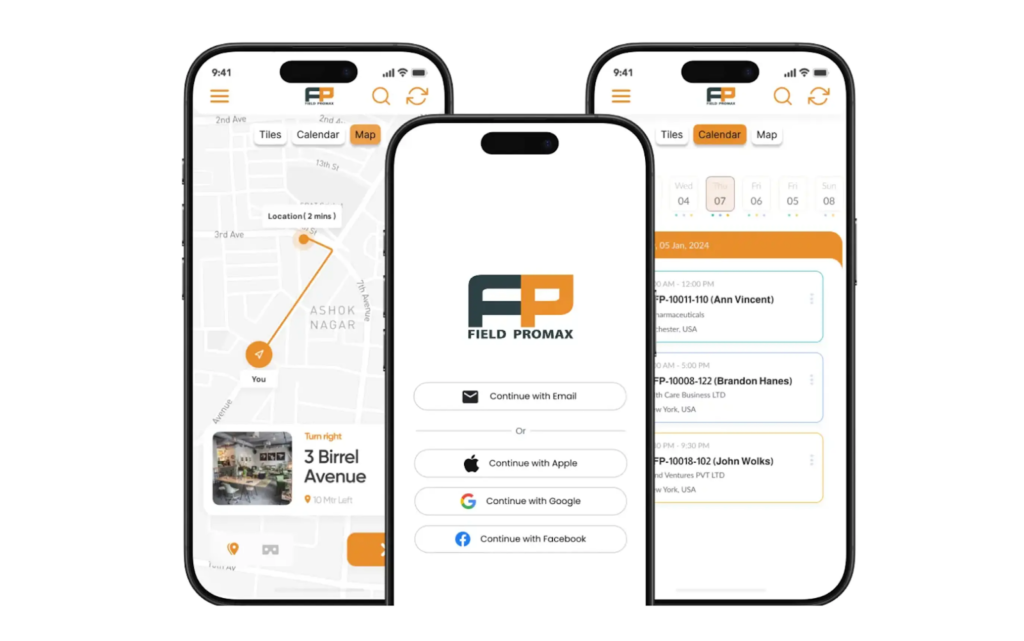
Every work order goes through distinct phases like being assigned, on the way, in progress, and finally completed. The office does not need to contact technicians for updates. With tools such as Field Promax, these updates sync automatically when the technician taps a status change.
2. Technician location and routing:
The GPS maps and tracking views indicate which technician is the closest to the next task. This allows dispatchers to cut down drive time and reduce fuel costs. If a customer contacts you urgently, you can shift work with just a couple of clicks.
3. The standard checklists & pictures:
Mobile forms and photo capture keep job records consistent. Instead of reading various handwriting styles, you see clear images and checklists. This makes it easy to prove what work was done if a customer questions an invoice later.
4. instant communication
Notifications and updates are kept in sync with the job within the application. Technicians do not need to go through text messages and emails. The office staff can look up questions as they are asked and then respond quickly without slowing down the process.
Cost Tracking In Real-Time, Not Weeks Later.
Many field service companies do not understand job costs until the month is finished. This is when timesheets, fuel expenses, and invoices from suppliers finally come together. By then, it’s too late to correct the problems.
Mobile tools help bring cost drivers into view in real time:
- Labor: Time tracking in the app gives you accurate, job-level labor costs.
- Materials and parts: When technicians record the parts for each job, you can compare materials costs by job type or by customer.
- Travel time: GPS data indicate where late or delayed work is affecting your profits.
With integrated platforms like Field Promax, the data is linked directly to your invoice creation, scheduling, and accounting software. That reduces double entry and lowers the risk of missed charges.
Before And After Mobile Application
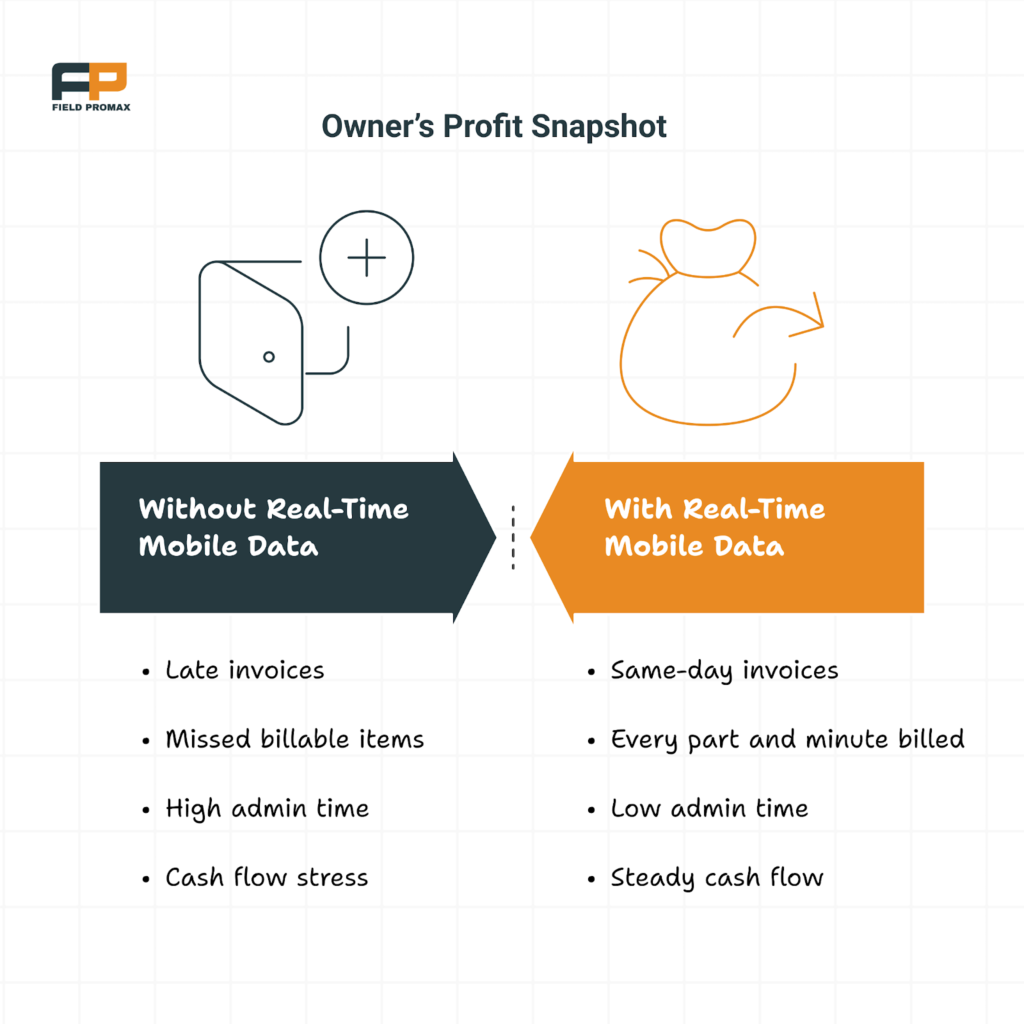
A small HVAC company with six employees used paper work orders and manual timesheets. Work orders were typically recorded on sticky notes, then put into a spreadsheet in the evening. Around 10% of the minor extras, such as filters or additional labor, were not included in the final invoice, the business owner observed.
After switching to a mobile field service app like Field Promax mobile app, technicians could start every job using their mobile phones. They tapped to start and stop time, added parts from a simple list, and captured a signature before leaving.
Within a few months:
- Invoice turnaround dropped from several days to the same day for most jobs.
- The number of missed add-ons fell sharply.
- The owner could see daily profit by technician and service type.
Nothing about the actual work changed. The gain came from capturing data in the moment instead of trying to rebuild it at the end of the week.
What to Look For in a Mobile Field Service Tool
If you’re comparing mobile apps right now, look for features that can make real-time tracking simple for your staff.
Key features to prioritize:
- An easy interface for technicians:
If an app is hard to use, your team won’t adopt it. Look for clean screens with simple buttons.
- Real-time data synchronization:
Field updates should appear on the office calendar and job board within minutes. This is a major reason to get rid of what eliminates the need for paper and separate apps. - Tight integration with billing and accounting:
The best tools integrate invoices, work orders, and accounting seamlessly. Field Promax, for example, provides QuickBooks integration to sync job details into your accounting without entering data twice.
- Clear reports:
You should be able to pull key reports, such as revenues per technician, average time per job type, and the margin by customer. This data can help you adjust staffing and pricing over time.
Getting Started Without Disrupting Your Team
Many owners worry that new software will slow everyone down. A simple rollout plan can prevent this.
Start with a test group of two dispatchers and two technicians. Use the mobile app on real jobs for a couple of weeks. Find out from your team what they find most effective and where they encounter the most difficulties. Adjust your forms and settings based on their feedback.
When the rest of the team joins, they can learn from this first group of users. Adoption is facilitated by brief one-minute walkthroughs and straightforward one-page instructions.
The biggest benefit is this: your costs and tasks become clear in real time, so you no longer have to guess. You can see which jobs are profitable, which jobs are hurting your margins, and exactly where your employees are spending their time. This clarity makes every business decision easier.
Ans: Yes. Even a small team of three or four technicians will lose money if jobs, as well as notes, hours, and other information, are recorded on paper or in chats. A simple mobile application can cut down mistakes, speed up billing, and give you accurate visibility into costs and work from day one.
Ans: Mobile tools capture time, parts, photos, and notes at the job site. Thus, each additional minute and each minor component will be connected to the appropriate work order. Making sure to include billable items in your invoices helps you increase your margins.
Ans: Many technicians will adjust quickly if the application is simple and clean. Start by giving a quick demo with simple buttons such as “Start the job” and “Complete task,” and let them test it out on actual visits. With the help of tools such as Field Promax, many teams are comfortable within a couple of days.
Ans: Yes. Creating and sending invoices on the same day is possible when jobs are updated in real time. Waiting for end-of-week summaries or paper forms is unnecessary. Faster payments and improved cash flow are typically the results of faster, more accurate invoices.